
Who it's for
Built for people who need editable maps without leaving PowerPoint
Strategy consultants, business developers, and corporate communications teams all face the same problem: they need professional geographic maps in their slides, but building them often means switching to specialized tools, exporting images, and sometimes losing hours to a workflow that should take minutes.
GeoAddIn solves this by bringing map creation directly into PowerPoint. Select your territories, add locations, and insert — without ever leaving your presentation.
See it in action
Watch a quick demo
Feature walkthrough
Everything GeoAddIn can do
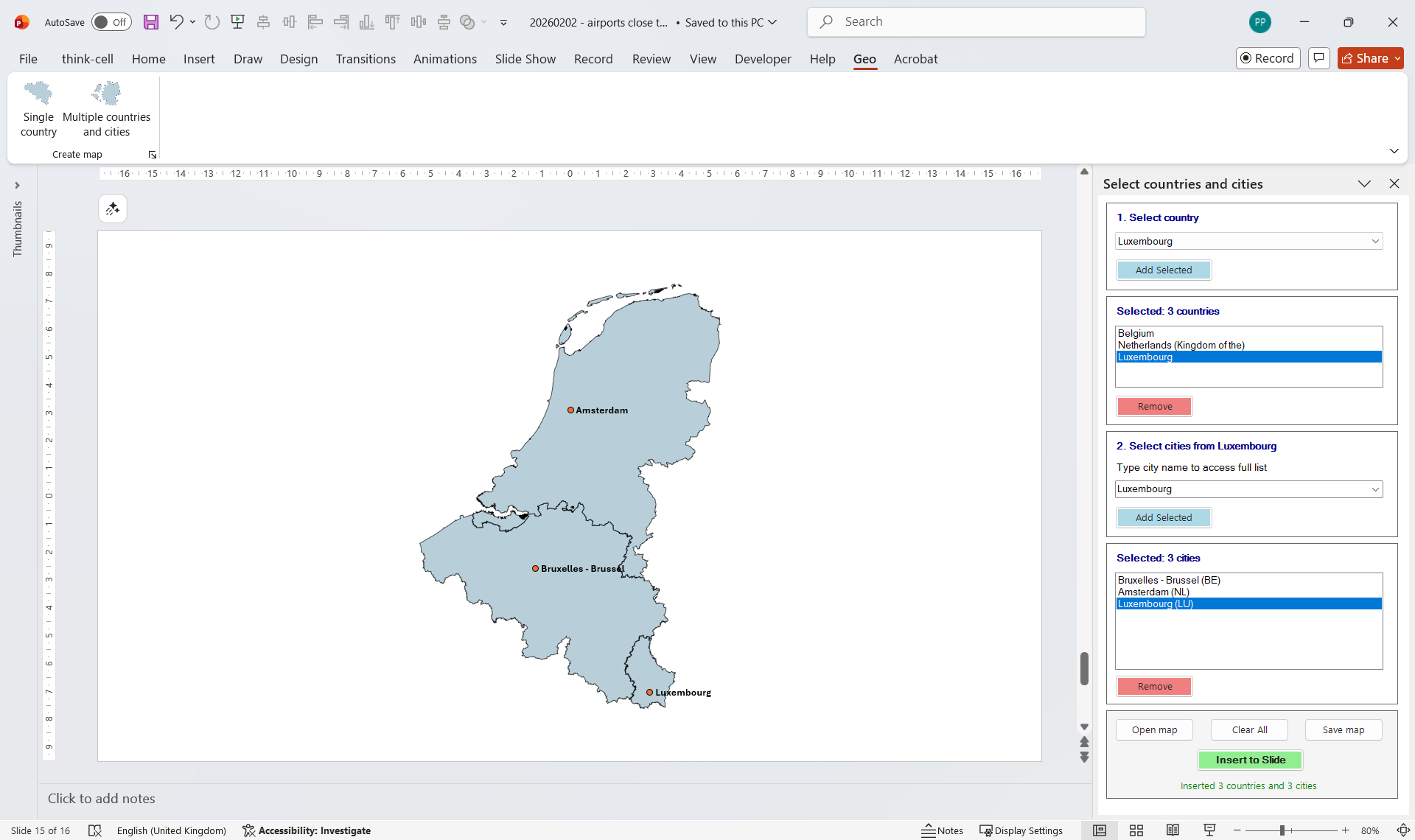
Select multiple countries
Choose any combination from a comprehensive database spanning Europe, the Americas, Africa, and Oceania — from Andorra to Zimbabwe — and instantly add capital city markers. No drawing, no manual positioning.
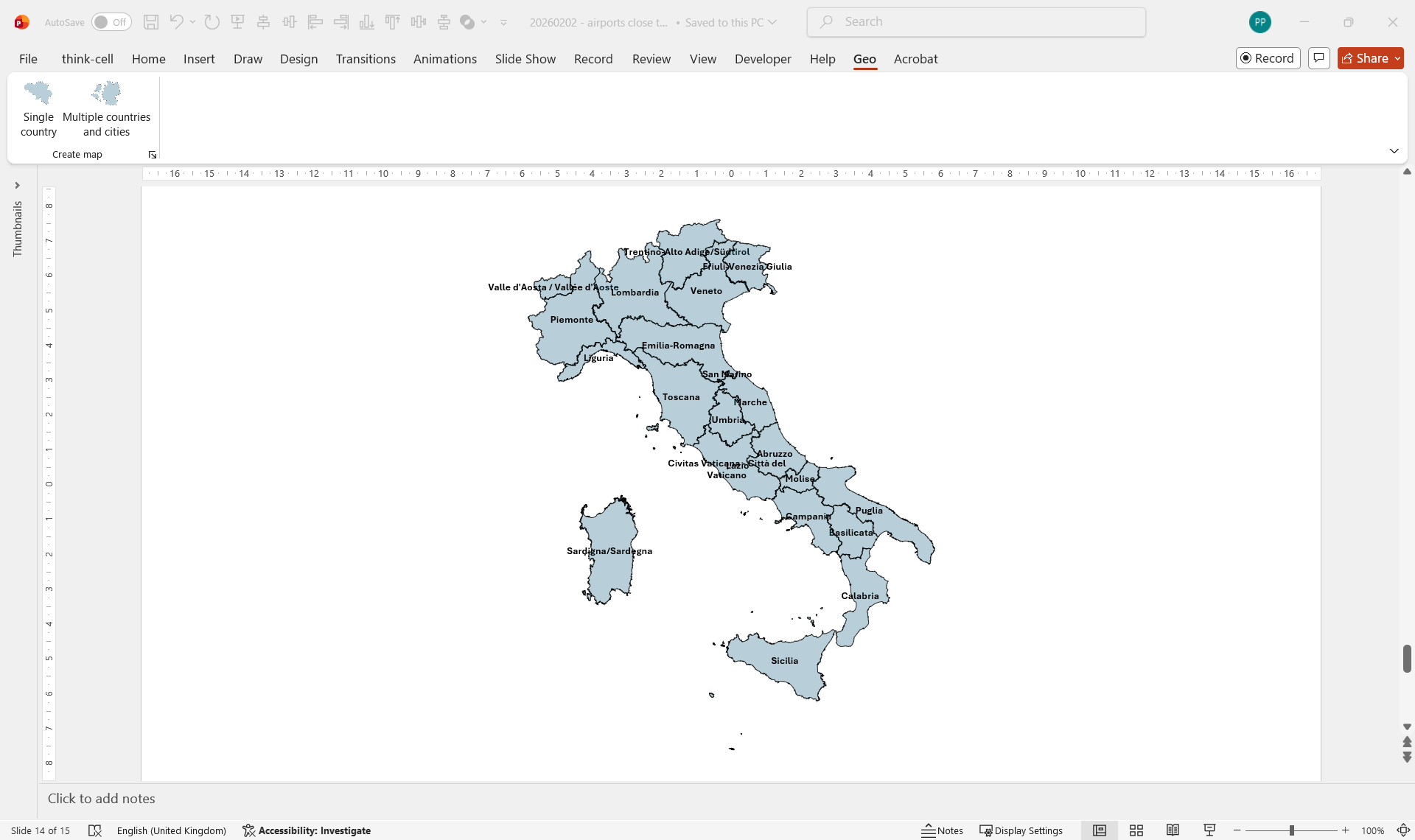
Drill down to regions, states, and provinces
Go beyond country outlines. Display sub-national territories — Italian regions, German Bundesländer, French départements, Ireland counties — each with its name automatically labeled inside the shape.
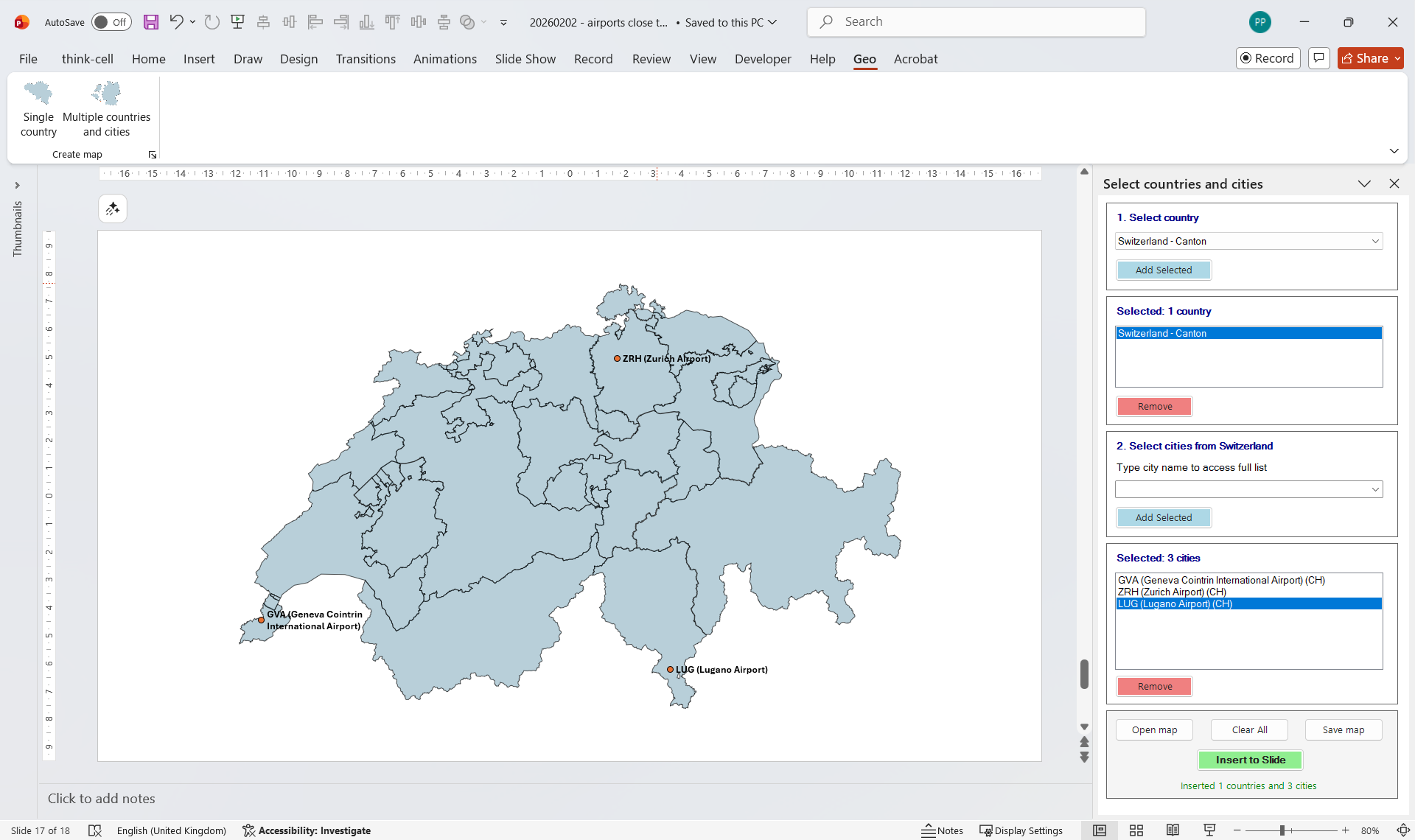
Add airports and cities
Plot any point of interest alongside your territory maps. Airports (by IATA or ICAO code), cities — select from a built-in database.
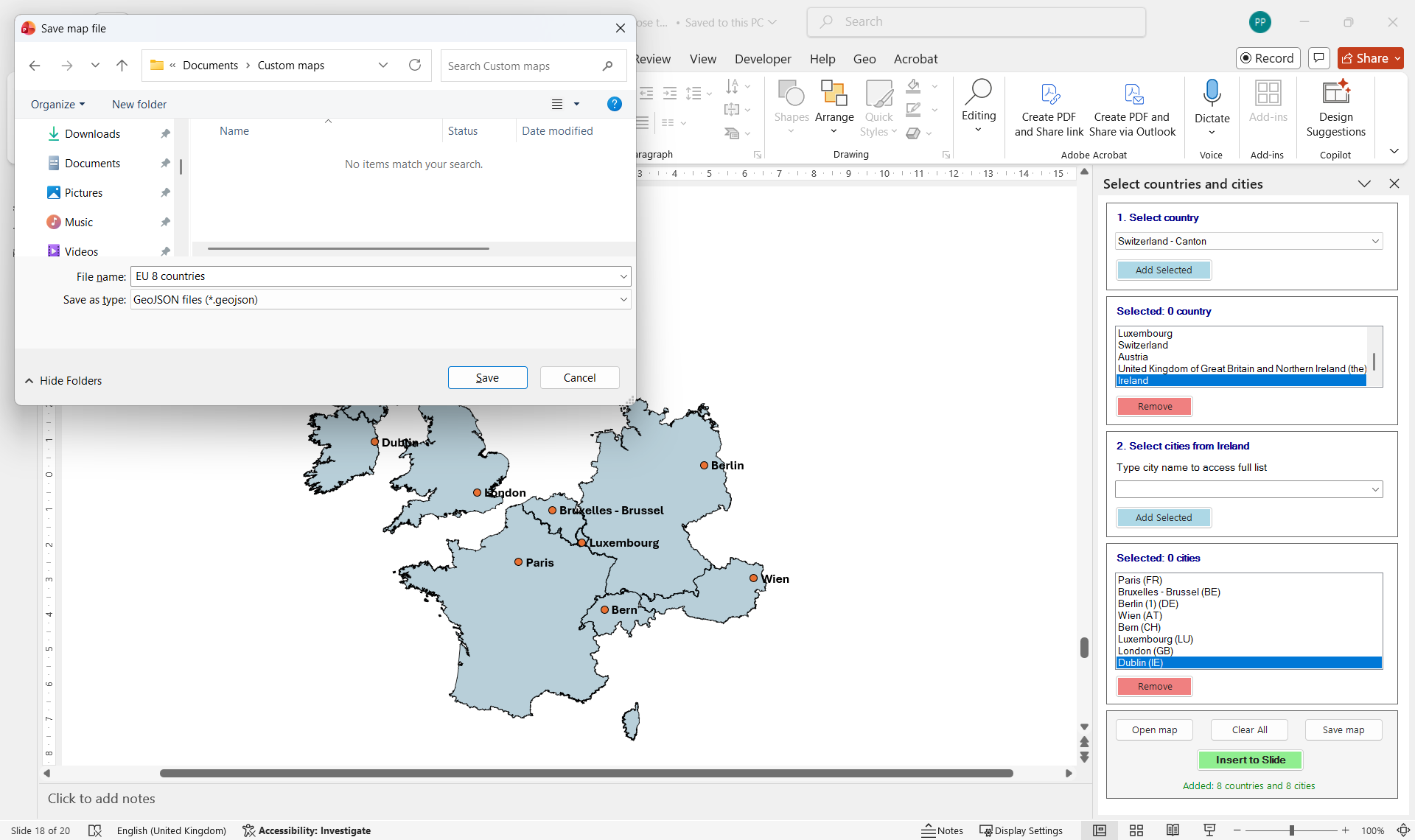
Save complex maps and reopen them in any presentation
Built a detailed multi-country map with dozens of locations? Save it as a named configuration and reload it in any future presentation with one click — no need to rebuild from scratch.
Ready to try it yourself?
Start a free 14-day trial. Works with PowerPoint on Windows.