
Editable PowerPoint maps in 30 seconds
Create country, region, city, and airport maps directly inside PowerPoint — as native shapes you can recolor, resize, animate, and reuse. No screenshots. No GIS tools. No design skills.
14-day free trial · No credit card required · €119/year (excl. taxes) — less than €10 a month · Works offline · PowerPoint for Windows
Pick your territories
Any of 56 countries, down to regions, provinces and counties — plus cities and airports, searched or browsed from a comprehensive geographic database.
Insert as native PowerPoint shapes
One click, in under 30 seconds — no internet connection needed.
Edit like any PowerPoint object
Recolor, resize, layer, animate. Recipients don't need GeoAddIn.
Every map is made of real PowerPoint shapes — not screenshots, not images.
Sound familiar?
You need a map for tomorrow's board deck. You open Google Maps or QGIS and spend 20 minutes adding markers and getting the right crop.
You screenshot it, paste it into PowerPoint. It looks pixelated and wrong.
You try to resize it. The labels blur. The colors don't match the rest of your deck. You give up and use a generic stock image.
Maps that belong in your deck
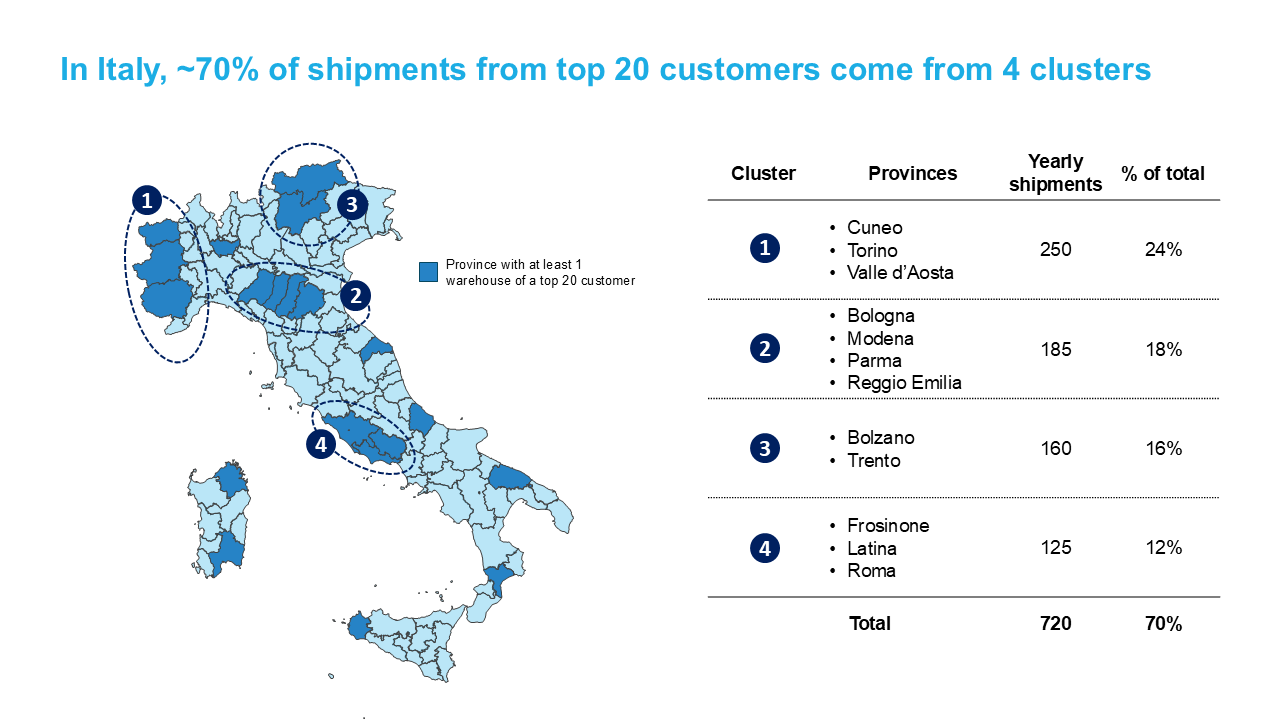
Territory map — Italy divided in provinces as editable shapes
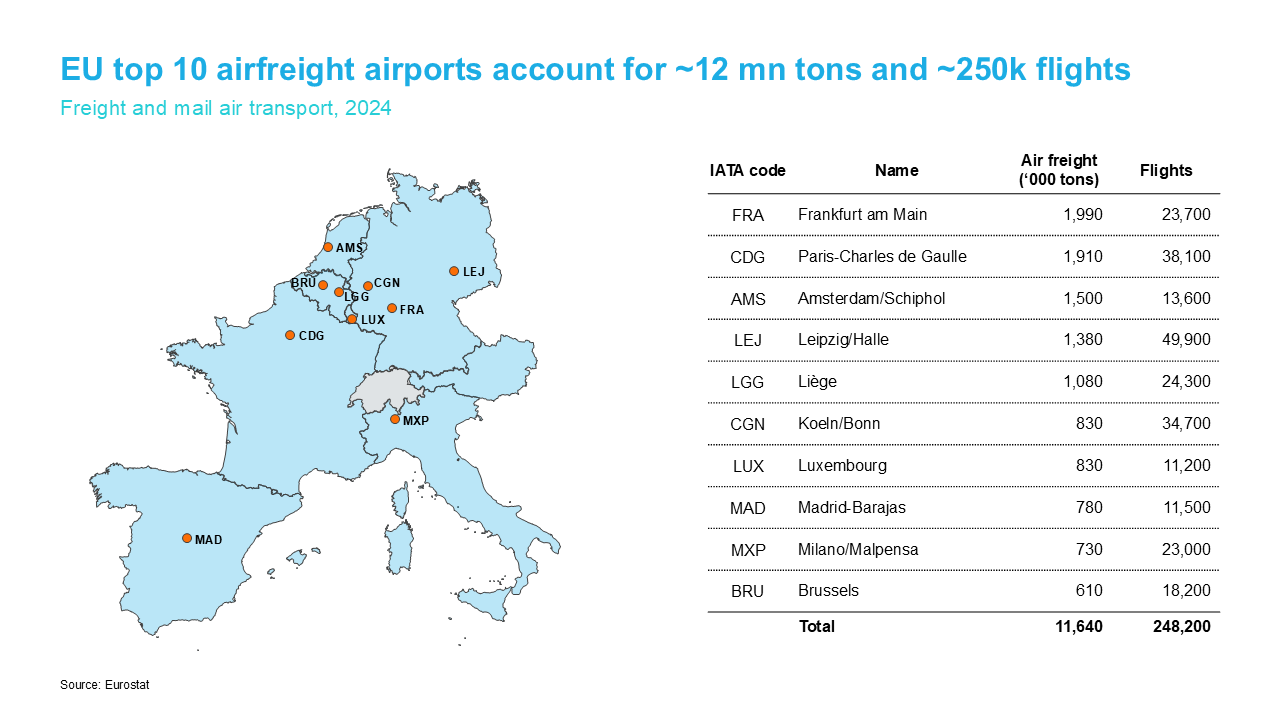
Airport markers — plot cities or airports on any map
Every map is a native PowerPoint shape — resize, recolor, and animate just like any other object.
Built for slide-heavy teams
Consultants & strategy teams
Client-ready market and geography slides in the time it takes to open the deck.
Sales & business development
Territory maps, regional rollouts and market coverage — colored by region in seconds.
Corporate communications
Location and footprint maps that stay on-brand and stay editable.
Research & NGOs
Present geographic data clearly without GIS software or design help.
Common questions
Is there a free trial? +
What happens to my maps if my license or trial ends? +
How much does GeoAddIn cost? +
What geographic data is included? +
Does it work on Mac? +
Ready to put maps in your slides?
14-day free trial · No credit card · Works offline · Uninstall anytime
Start Your Free TrialPrefer to buy outright? €119/year. See pricing & features →
Not ready yet? Get notified about new features and updates:
What our users say
"It is nice that GeoAddIn creates native PowerPoint shapes. I can easily format the maps and pass them to any other PowerPoint user even if they don't use GeoAddIn."
— Bruno, Researcher, EPFL
"The possibility to save complex maps, and reload, edit and combine them later is a real time saver."
— David, Nuclear Engineering student, KTH
"It is extremely convenient to have the location of airports by both their IATA and ICAO codes."
— Maria Grazia, Environmental Expert Aviation, Ministry of Mobility and Transport